

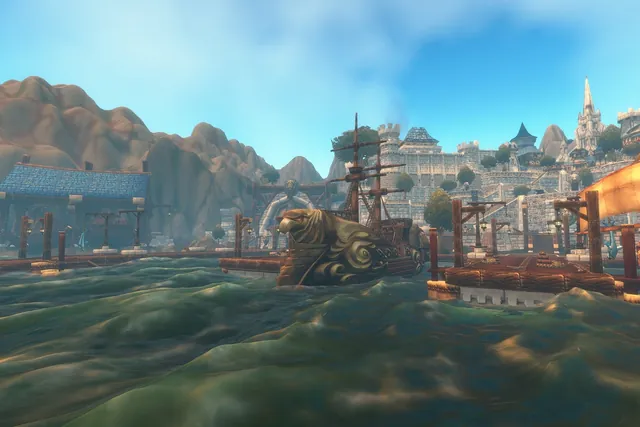
There are two ways to enter the beta
You can join the WoW Forever beta by opting in for a free invitation or by buying an eligible bundle that includes beta access. Opting in gives you a chance to be selected; submitting the form does not guarantee entry.
Eligible bundle access is attached to the qualifying Battle.net account.
| Free opt-in | Bundle with beta access | |
|---|---|---|
| Cost | Free | Buy an eligible bundle |
| Entry | A chance to be selected — not guaranteed | Access attached to the qualifying Battle.net account |
| Check | Selected? License on the account | Wait up to 30 minutes, then restart Battle.net |
Choose between waiting for a free invitation and buying a bundle for benefits you also want at launch. Before paying only for beta access, check the test end date and how much time you will actually have to play.
A free sign-up still requires an invitation
After you opt in with your Battle.net account, Blizzard may select you during the test and says invitations will go out regularly.
The confirmation screen only shows that your request was received; it does not mean a beta license has been granted.
If selected, access is flagged on your account and an email invitation is sent. You can verify access directly under Your Game Accounts in Battle.net, even if the message is delayed or missing.
After you opt in
- Opt inWith your Battle.net account
- Wait for selectionInvitations go out regularly during the test
- Access and emailAccess is flagged on your account and an email is sent
- Check your licenseUnder Your Game Accounts in Battle.net
Check the included benefit before buying
Eligible World of Warcraft: Forever digital bundles include beta access. Names, prices, taxes, and sales terms can differ by region, so confirm that the Battle.net checkout page explicitly lists beta access.
A Recruit A Friend launch code is a launch-week benefit, not a beta license.
Access may take up to 30 minutes to appear after purchase. If the beta is still missing after that, fully close and restart the Battle.net app before trying more disruptive fixes.
Verify invitations in your account, not through email links
Beta interest creates an opening for phishing messages. Instead of signing in through a link in an email, open Battle.net directly and check whether a World of Warcraft: Forever beta license is attached to your game accounts.
Do not treat the email alone as proof if the license is absent. Avoid entering passwords or authentication codes on an external page, and start the installation only from the Battle.net desktop app.
Install from the Battle.net game-version menu
Installing from the Battle.net app
- UpdateGraphics drivers and the Battle.net desktop app
- Game Version menuSelect World of Warcraft, open the menu above Play
- Install the betaIn Development → World of Warcraft: Forever Beta
- First loginPlay → test realm → new test character
Update your graphics drivers and the Battle.net desktop app. Select World of Warcraft, open the Game Version menu above Play, choose World of Warcraft: Forever Beta under In Development, and click Install.
When installation finishes, click Play, select an available test realm, and create a new test character.
If the beta option is missing, first check the account license, the 30-minute entitlement delay, and whether the app was restarted before reinstalling anything.
Current beta scope and end date
Blizzard’s English announcement names October 21, 2026 as the last full day of testing. The Korean announcement lists October 22. The beta opened with a level cap of 20.
Its dungeons included Hall of Thanes (levels 13–18) and Ruins of Lordaeron (levels 15–20). Blizzard’s October 1 development notes raise the level cap to 30. They add a new dungeon, Excavation Site: Wetlands, for levels 26–31.
Razorfen Downs (25+) and Uldaman (30+) now join 11 dungeons that were already available. Darnassus and Thunder Bluff now have barbershops.
| October 1 build | Level | Change |
|---|---|---|
| Level cap | 30 | Raised from 20 |
| Excavation Site: Wetlands | 26–31 | New dungeon |
| Razorfen Downs | 25+ | Now open |
| Uldaman | 30+ | Now open |
| Barbershops | — | Added in Darnassus and Thunder Bluff |
From Blizzard’s beta development notes updated October 1. Beta numbers and content can change before launch.
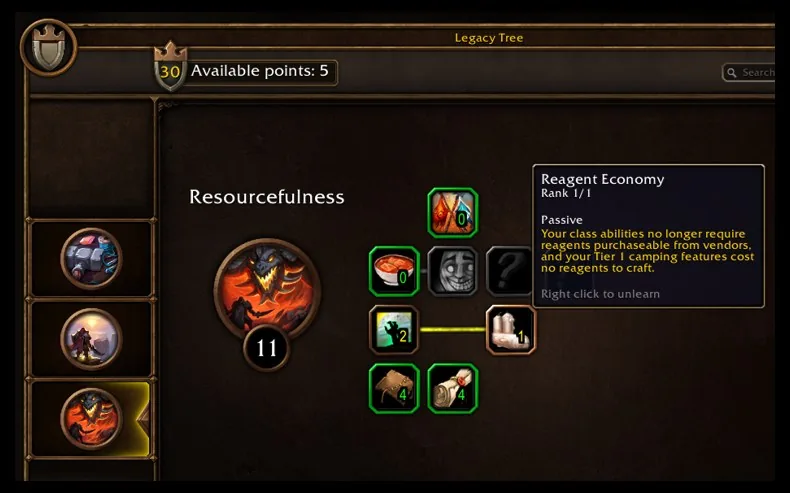
On October 1, Blizzard also said it plans to give every tester 16 Legacy points. This lets testers try the system without leveling many classes or clearing dungeons.
The grant is planned for a future beta week, which has not been announced. Blizzard expects to keep the grant in place until the beta ends. That matches the per-character cap of 16 Legacy points Blizzard has announced for launch.
A short Server Slam open to everyone has been announced, but not its exact window. Beta numbers and content can change before launch.
Troubleshoot in the right order
| Situation | Check in this order |
|---|---|
| Opted in for free | Selected? → license on the account |
| Bought a bundle | Purchasing account → wait up to 30 minutes → restart Battle.net |
| License exists, install or launch fails | Graphics drivers and app updates → storage → Blizzard’s common technical guidance |
Opt-in players should first verify whether they were selected and whether a license exists. Bundle buyers should check the purchasing account, wait up to 30 minutes, and restart Battle.net.
If a license exists but installation or launch fails, then check graphics drivers, app updates, storage, and Blizzard’s common technical guidance.
This order separates four different cases: no invitation, entitlement delay, a launcher display problem, and an actual installation error. It avoids repeating a large download when the problem is account access.